



Precieze GPS-gebaseerde Klok: Betaalbare Nauwkeurigheid & Betrouwbaarheid
Onderdelen en benodigdheden
| Onderdeel | Aantal | Opmerking |
|---|---|---|
| Arduino UNO | 1 | |
| RGB Backlight LCD 16×2 (of 20×4 met I2C-adapter) | 1 | In mijn geval een no-name 20×4 met I2C |
| Breadboard (standaard) | 1 | |
| Jumper draden (standaard) | 1 | |
| GPS-ontvanger (GY-GPS6Mv2 met u-blox NEO-6M) | 1 |
Apps en online diensten
- Arduino IDE
Over dit project
Tot nu toe gebruikte ik RTC-klokken of NTP-servers voor tijdprojecten. Hier presenteer ik een andere bron: tijd parsen uit de NMEA-strings van GPS-satellieten.
Ik was verrast hoe goedkoop een GPS-ontvanger is: koop er eentje (ik gebruik de GY-GPS6Mv2).
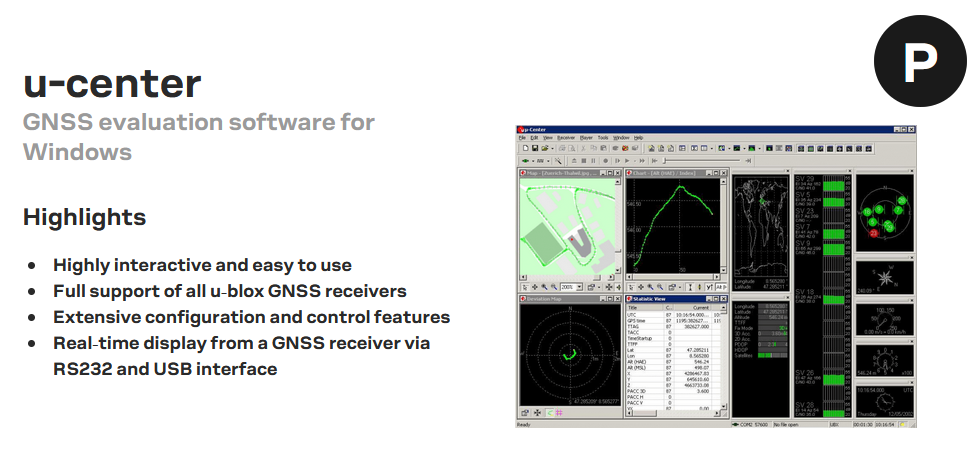
a) Optionele test op Windows PC
- Installeer „u-center” (download van u-blox).
- Met FTDI-adapter verbind je de GPS-breakout met de COM-poort. Na ~1 minuut verschijnt de fix (verbinding met satellieten), knipperende rode LED op de breakout.
- Automatisch gegenereerde graphics maken lust om meer met GPS te experimenteren. Met F8 → Text Console in View-menu zie je de NMEA-strings.
b) Decodering testen online
Gratis online service: rl.se/gprmc
c) Schakeling
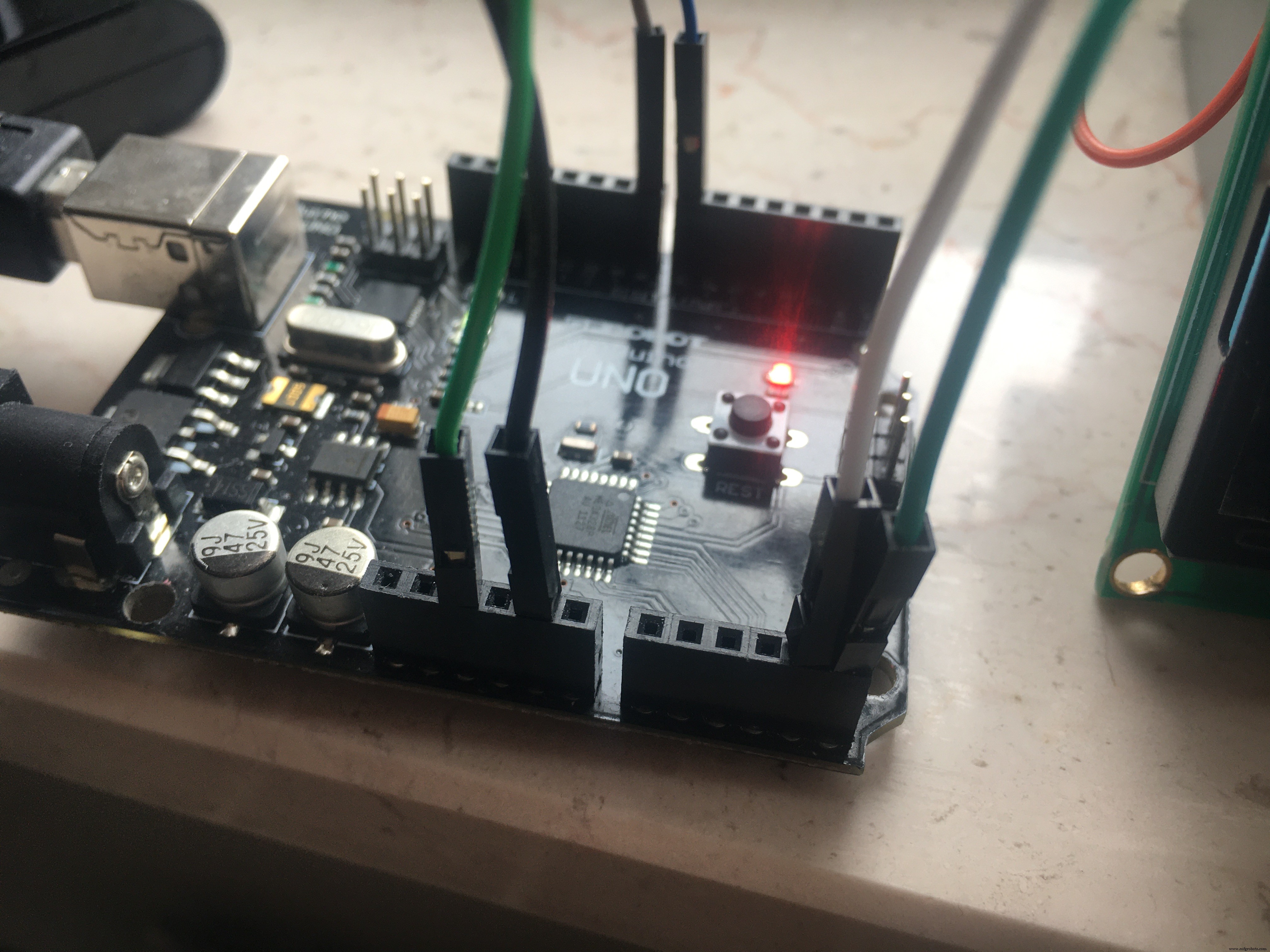
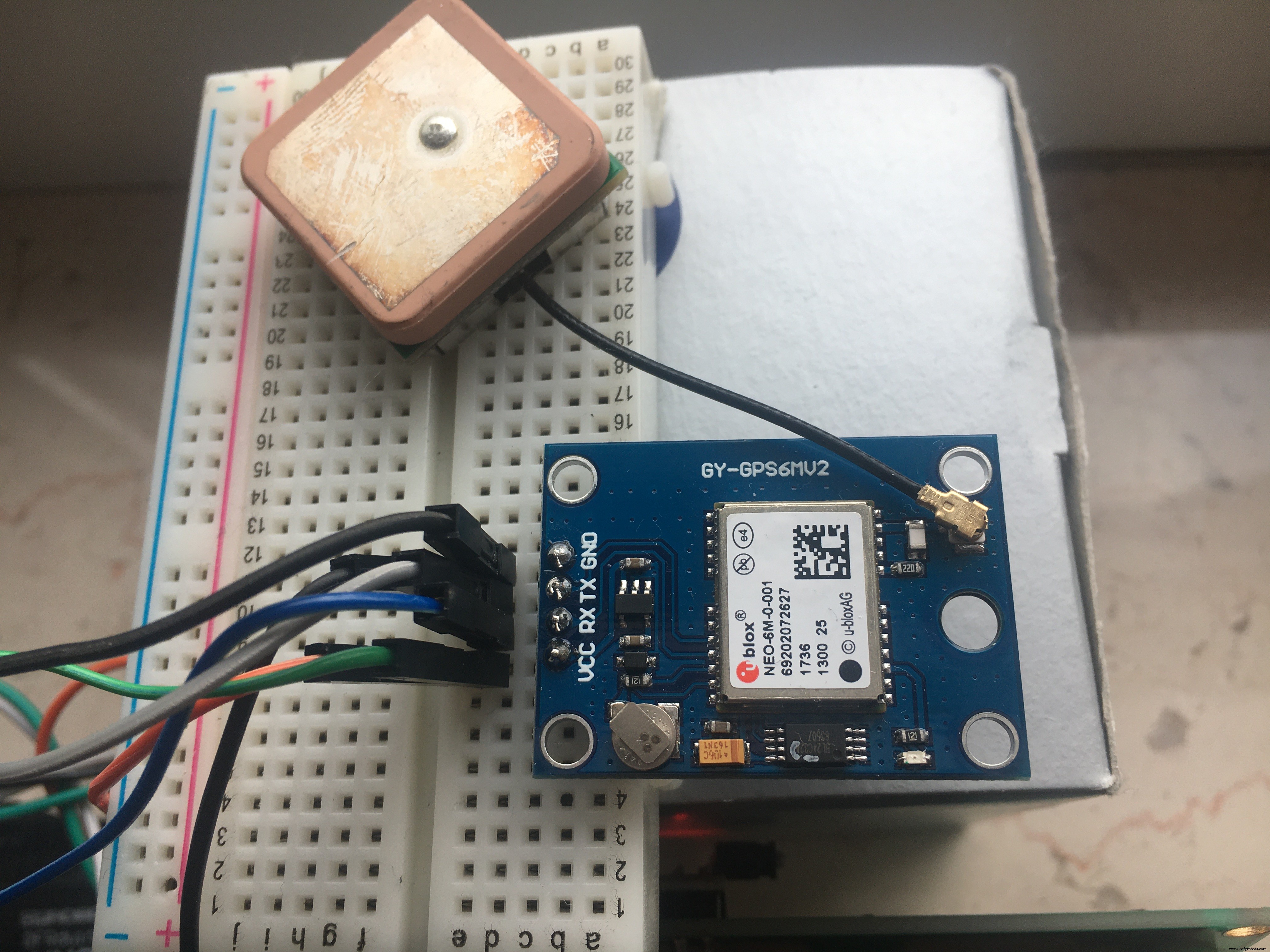
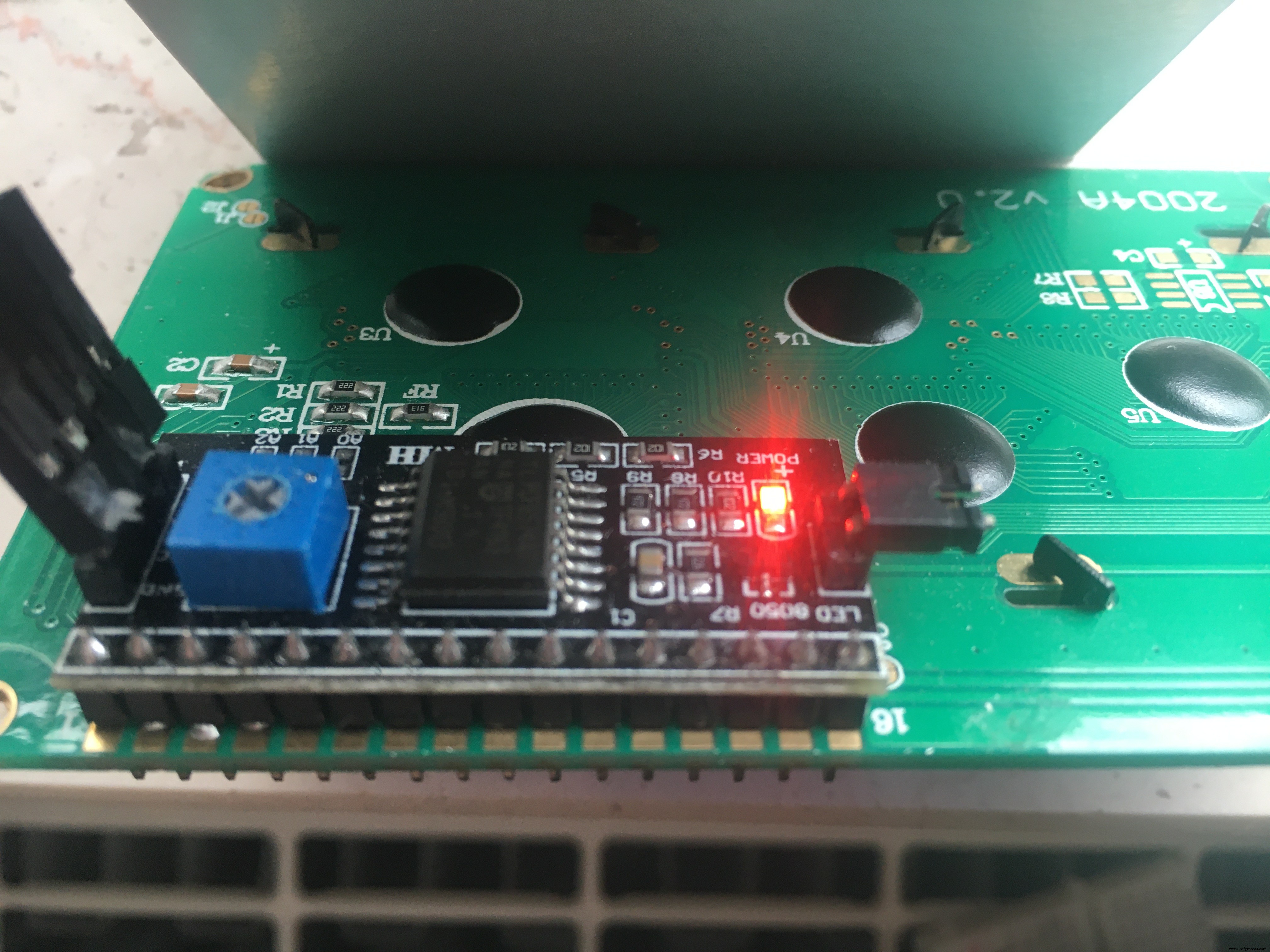
Arduino A4 → Display SDA
Arduino A5 → Display SCL

#include <Wire.h>
#include <LiquidCrystal_I2C.h>
LiquidCrystal_I2C lcd(0x3F, 20, 4); // adres vaak 0x27 of 0x3F

#include <Adafruit_GPS.h>
#include <SoftwareSerial.h>

GPS voeding → 5V
GPS GND → GND
GPS TX → Digitale 8
GPS RX → Digitale 7

SoftwareSerial mySerial(8, 7);
Adafruit_GPS GPS(&mySerial);
De GPS-ontvanger is 3,3V/5V tolerant.
d) Functionaliteit
Onze klok toont: tijd, datum, windsnelheid-indicatie en hoogte. Locatie niet nodig (klok staat op het raam).
NMEA levert tijd in UTC. Conversie naar lokale tijdzone doen we zelf. Voor Europa/Berlijn: +1 uur.
int timezone = +1; // Europe/Berlin (UTC +0100)
Variabele hour wordt gebruikt voor LCD-output in plaats van GPS.hour (UTC).
// Output naar LCD
lcd.setCursor(5,0); // eerste regel
int hour = (GPS.hour) + timezone;
if (hour < 10) { lcd.print('0'); }
lcd.print(hour, DEC); lcd.print(':');
In Europa gebruiken we km/u in plaats van knots voor windsnelheid. Conversie: 1 knot = 1,852 km/u.
float speed = (GPS.speed) * 1.852; // knots → km/u
Classificatie volgens Wikipedia (Beaufort-achtig):
if (speed <= 1)       {lcd.print(" Windstille");}
else if (speed <= 9)  {lcd.print(" leiser Zug");}
else if (speed <= 46) {lcd.print(" Brise");}
else if (speed <= 56) {lcd.print(" starker Wind");}
else if (speed <= 74) {lcd.print(" stuerm. Wind");}
else if (speed <= 83) {lcd.print(" Sturm");}
else if (speed <= 102){lcd.print(" schwerer Sturm");}
else                  {lcd.print(" Orkan");}
Resultaat op display (aanpasbaar):
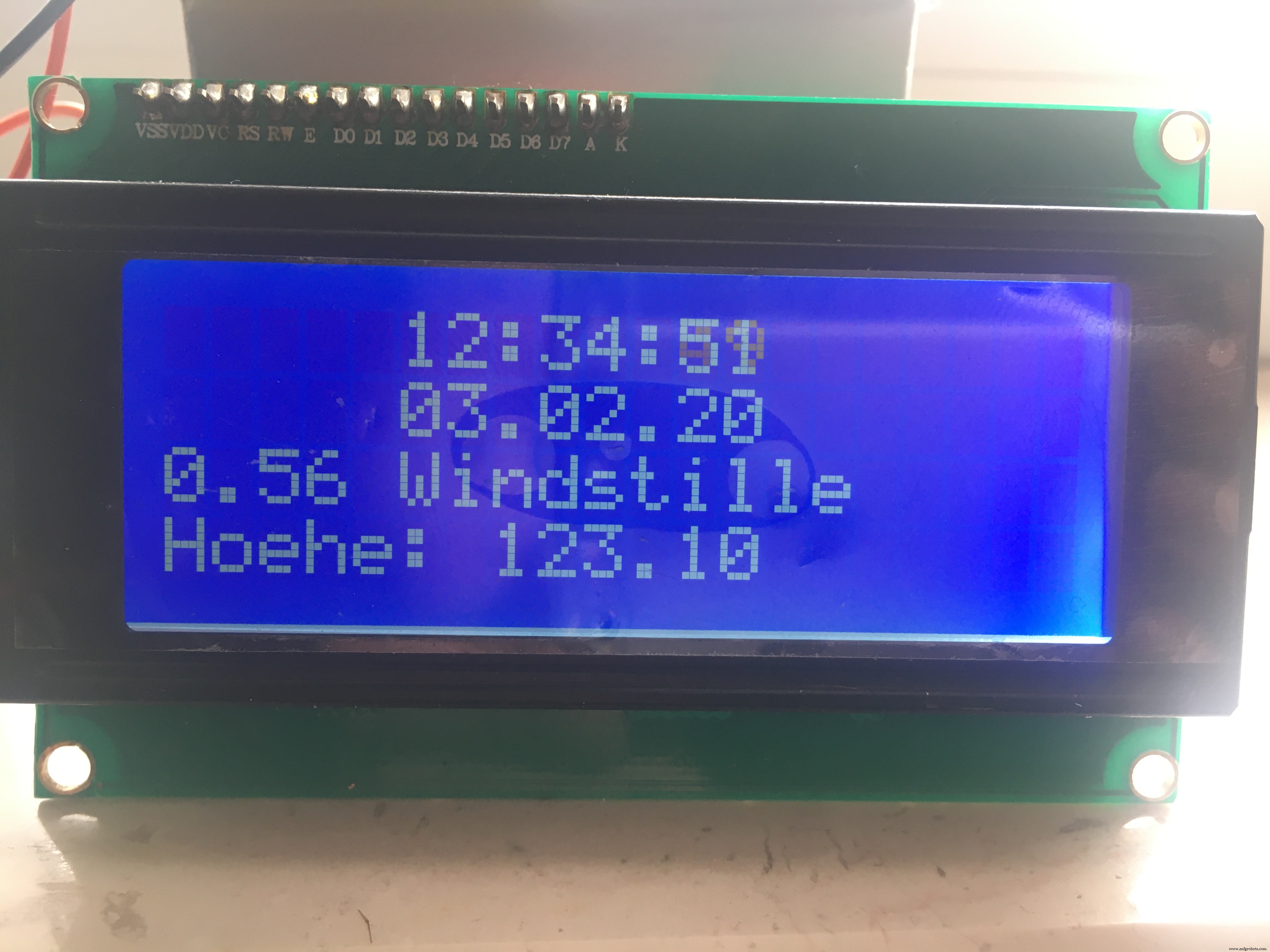
Updatefrequentie: 2 seconden in de loop. Ik overweeg seconden en hoogte weg te laten voor een 16×2 display.
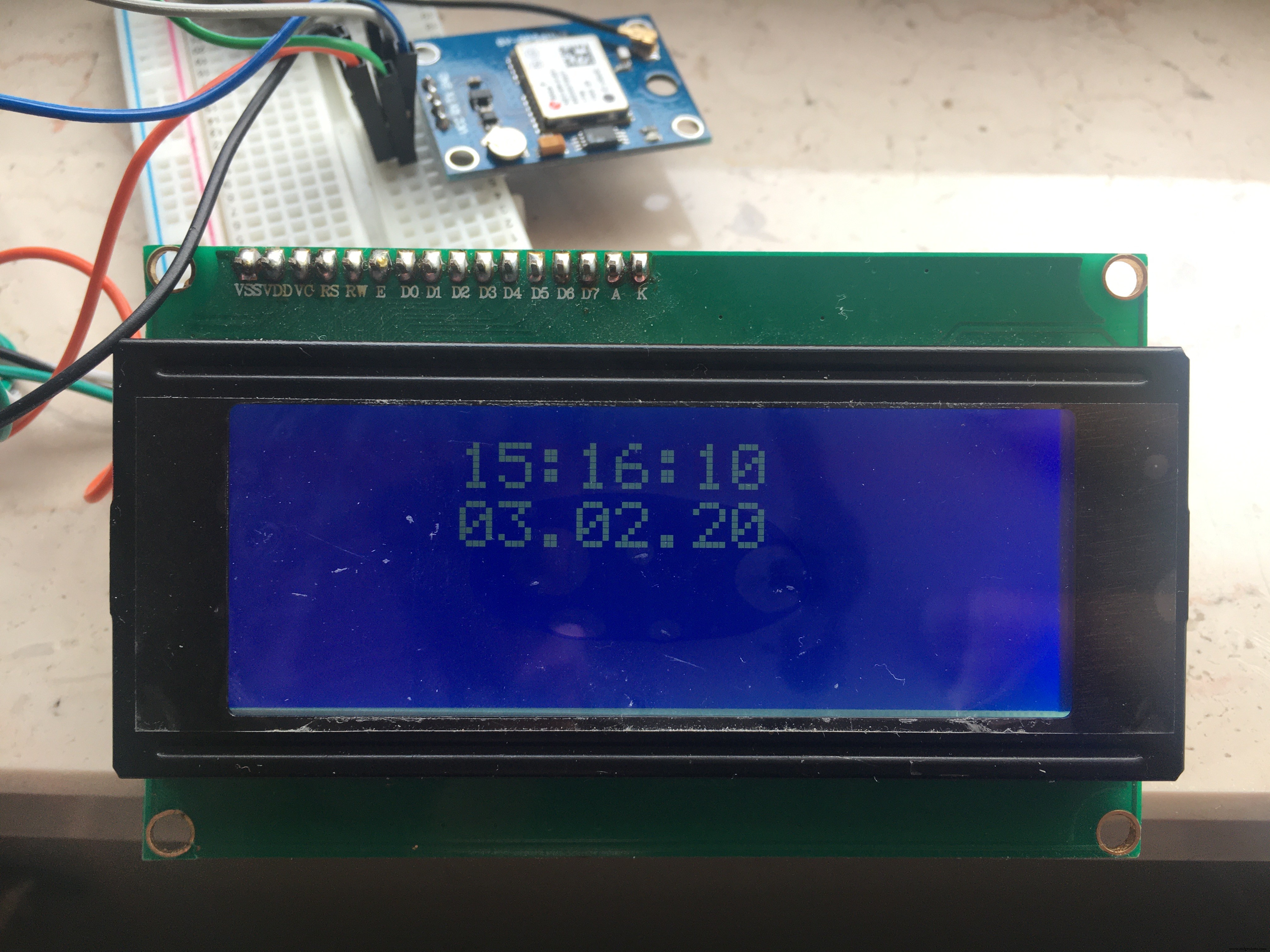
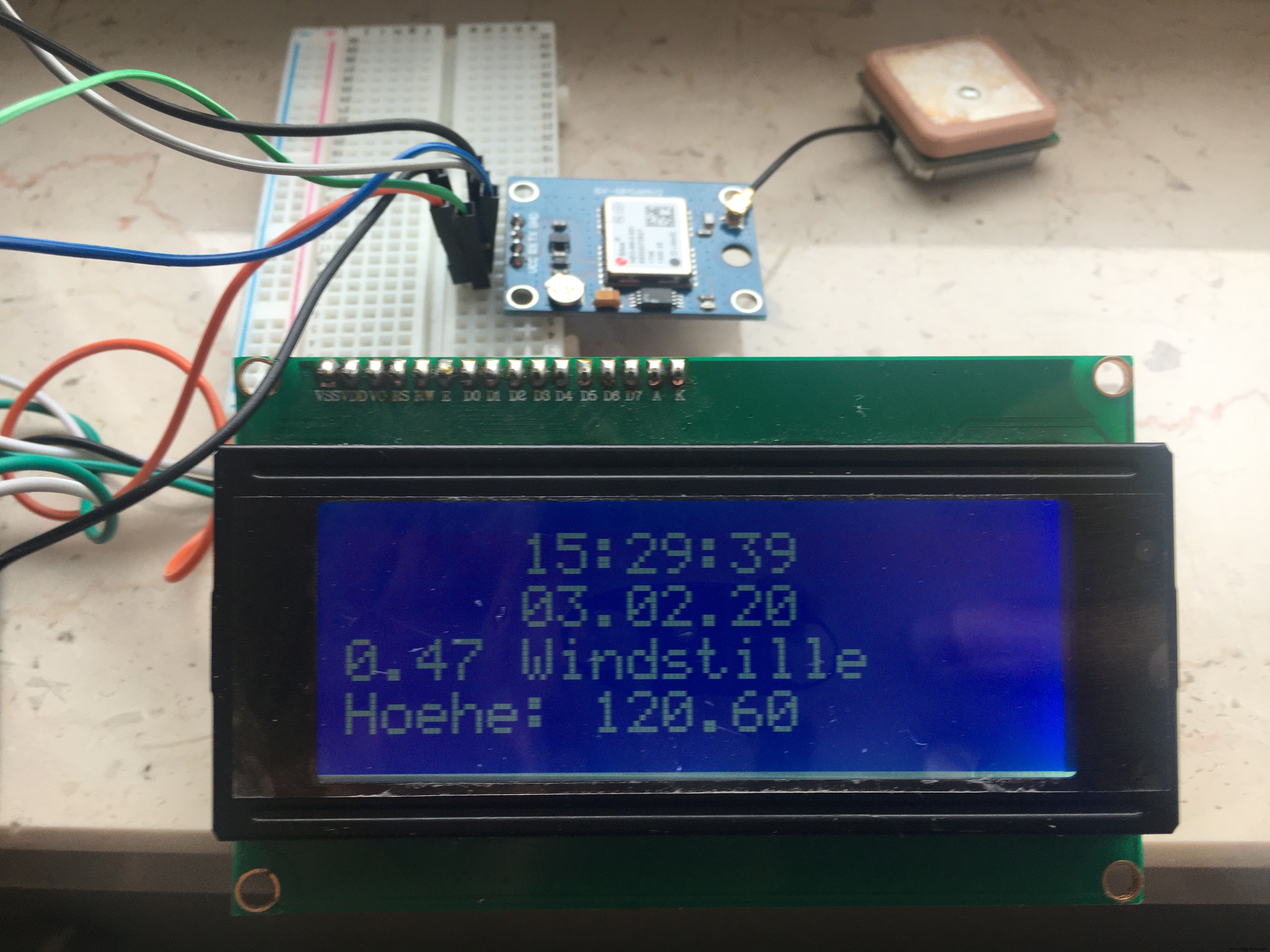
Veel plezier met verkennen van GPS-mogelijkheden!
In Europa is ook DCF77-radio-signaal beschikbaar, maar duurder en gevoeliger in gebruik.
Code
GPS_SoftwareSerial_Parsing_ilo C/C++
Adafruit-voorbeeld licht aangepast:
// Test code for Adafruit GPS modules using MTK3329/MTK3339 driver
// This code shows how to listen to the GPS module in an interrupt
// which allows the program to have more 'freedom' - just parse
// when a new NMEA sentence is available! Then access data when desired.

#include <Wire.h>
#include <LiquidCrystal_I2C.h>
LiquidCrystal_I2C lcd(0x3F,20,4);

#include <Adafruit_GPS.h>
#include <SoftwareSerial.h>

SoftwareSerial mySerial(8, 7);
Adafruit_GPS GPS(&mySerial);

#define GPSECHO true
int timezone = +1; // Europe/Berlin (UTC +0100)

void setup() {
  lcd.init(); lcd.backlight();
  Serial.begin(115200);
  delay(5000);
  Serial.println("Adafruit GPS library basic test!");
  GPS.begin(9600); // UBLOX 6M: GY-GPS6Mv2
  GPS.sendCommand(PMTK_SET_NMEA_OUTPUT_RMCGGA); // RMC + GGA (incl. altitude)
  GPS.sendCommand(PMTK_SET_NMEA_UPDATE_1HZ);    // 1 Hz update
  GPS.sendCommand(PGCMD_ANTENNA);
  delay(1000);
  mySerial.println(PMTK_Q_RELEASE);
}

uint32_t timer = millis();

void loop() {
  char c = GPS.read();
  if (c && GPSECHO) Serial.write(c);

  if (GPS.newNMEAreceived()) {
    if (!GPS.parse(GPS.lastNMEA())) return;
  }

  if (timer > millis()) timer = millis();
  if (millis() - timer > 2000) {
    timer = millis();

    // Serial output
    Serial.print("\nTime: ");
    if (GPS.hour < 10) Serial.print('0');
    Serial.print(GPS.hour, DEC); Serial.print(':');
    if (GPS.minute < 10) Serial.print('0');
    Serial.print(GPS.minute, DEC); Serial.print(':');
    if (GPS.seconds < 10) Serial.print('0');
    Serial.print(GPS.seconds, DEC); Serial.print('.');
    if (GPS.milliseconds < 10) Serial.print("00");
    else if (GPS.milliseconds < 100) Serial.print("0");
    Serial.println(GPS.milliseconds);

    Serial.print("Date: ");
    Serial.print(GPS.day, DEC); Serial.print('/');
    Serial.print(GPS.month, DEC); Serial.print("/20");
    Serial.println(GPS.year, DEC);

    Serial.print("Fix: "); Serial.print((int)GPS.fix);
    Serial.print(" quality: "); Serial.println((int)GPS.fixquality);

    // LCD output
    lcd.setCursor(5,0);
    int hour = (GPS.hour) + timezone;
    if (hour < 10) lcd.print('0');
    lcd.print(hour, DEC); lcd.print(':');
    if (GPS.minute < 10) lcd.print('0');
    lcd.print(GPS.minute, DEC); lcd.print(':');
    if (GPS.seconds < 10) lcd.print('0');
    lcd.print(GPS.seconds, DEC);

    lcd.setCursor(5,1);
    if (GPS.day < 10) lcd.print('0');
    lcd.print(GPS.day, DEC); lcd.print('.');
    if (GPS.month < 10) lcd.print('0');
    lcd.print(GPS.month, DEC); lcd.print('.');
    lcd.print(GPS.year, DEC);

    if (GPS.fix) {
      Serial.print("Location: ");
      Serial.print(GPS.latitude, 4); Serial.print(GPS.lat);
      Serial.print(", ");
      Serial.print(GPS.longitude, 4); Serial.println(GPS.lon);
      Serial.print("Speed (knots): "); Serial.println(GPS.speed);
      Serial.print("Angle: "); Serial.println(GPS.angle);
      Serial.print("Altitude: "); Serial.println(GPS.altitude);
      Serial.print("Satellites: "); Serial.println((int)GPS.satellites);

      lcd.setCursor(0,2);
      float speed = (GPS.speed) * 1.852;
      // lcd.print("Speed km/h: "); lcd.print(speed);

      if (speed <= 1)       {lcd.print(" Windstille");}
      else if (speed <= 9)  {lcd.print(" leiser Zug");}
      else if (speed <= 46) {lcd.print(" Brise");}
      else if (speed <= 56) {lcd.print(" starker Wind");}
      else if (speed <= 74) {lcd.print(" stuerm. Wind");}
      else if (speed <= 83) {lcd.print(" Sturm");}
      else if (speed <= 102){lcd.print(" schwerer Sturm");}
      else                  {lcd.print(" Orkan");}

      lcd.setCursor(0,3);
      lcd.print("Hoehe: "); lcd.print(GPS.altitude);
    }
  }
}
Productieproces
- DIY Goedkope Handschoen-controller & Propeller-auto – Bouw Je Eigen Arduino Hand-controller
- DHT11 Temperatuur- & Vochtigheidsensor Project met LED-indicatoren en Piezo-luidspreker
- Bouw een GPS-datalogger met ruimtelijke analyse op Azure IoT Hub
- Arduino temperatuur- en vochtigheidslogger met DHT11 en Ethernet Shield
- Arduino Temperatuurbewaking & Realtime Klok met 3.2" TFT-display
- Analoge-stijl LED Persistence-of-Vision Klok – DIY Arduino Nano Project
- Vier met Licht en Geluid: DIY Verjaardags Arduino-project
- u-blox LEA‑6H GPS Module: Arduino & Python Integratie Handleiding
- Bouw Real-Time Cellulaire Automaten op Arduino met 128x64 OLED Display
- Hoge-Snelheid Arduino RPM Teller met Nieuw Algoritme
- DIY Gitaar Speed Pick & Stomp Pedal – Bouw Je Eigen 3D-Gemotoriseerde Plektron